
Revealing my $10.92/month OpenClaw setup for complete beginners like me (first year only)
A low-risk setup to start your OpenClaw journey

I finally found the best OpenClaw setup for complete beginners like me.
Too many influencers shill their cheap OpenClaw setups, but they require you to commit to a 2-year period, or the cheap prices are only available for the first year.
Over the past 4 days, I’ve been searching through YouTube and Reddit to find the best way to set up OpenClaw without paying a high fee.
https://x.com/fipcrypto/status/2029391150919106568
I finally settled on this setup that costs me $10.92/month for the first year, but will increase to $14.50 afterwards (provided that the pricing still remains the same).
This includes a combination of:
Tencent Lighthouse: $10.99 for the first year, $50.40 (+tax) afterwards
GLM Coding Lite Plan: $10/month
So here are my considerations that brought me to this setup (and to help you see if it’s a fit for you too):
Why I’m using a VPS
I chose to run my OpenClaw on a VPS because of these reasons:
My WiFi is unstable at home, so it could lose connection at any time
I don’t want to use my main device to run OpenClaw because of the security risks
If you have an extra device that’s lying around, then it’s possible for you to skip this immediately.
@0xdgw shared with me how he’s using an old Apple device that he hasn’t touch in a while and it’s been working well for him.
So that’s how I started on the hunt for a good VPS that meets my needs:
Finding the best VPS for my OpenClaw setup
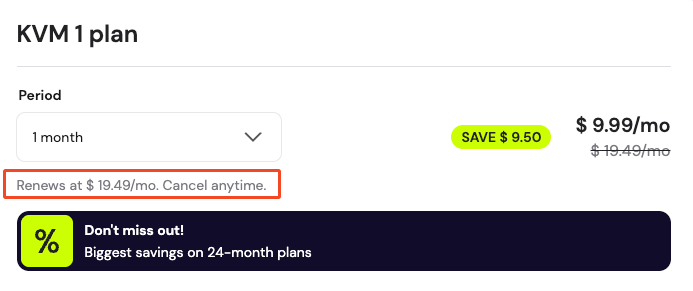
But when I tried searching for a good VPS setup, I was bombarded with videos telling me how amazing Hostinger was with their cheap prices.
The best deal only activates when you choose a 24-month plan. If you’re like me and you don’t want to be locked up to just one VPS, the monthly cost for the basic plan will skyrocket to $19.49/month.
There were others that I considered too but they were lacking in certain areas:
Hetzner is extremely cheap, but I’m not sure if the VPS will be laggy since I’m in Singapore (and they’re in Europe)
Railway’s UI is great, but I had issues with integrating to Discord and Slack through the OpenClaw web UI
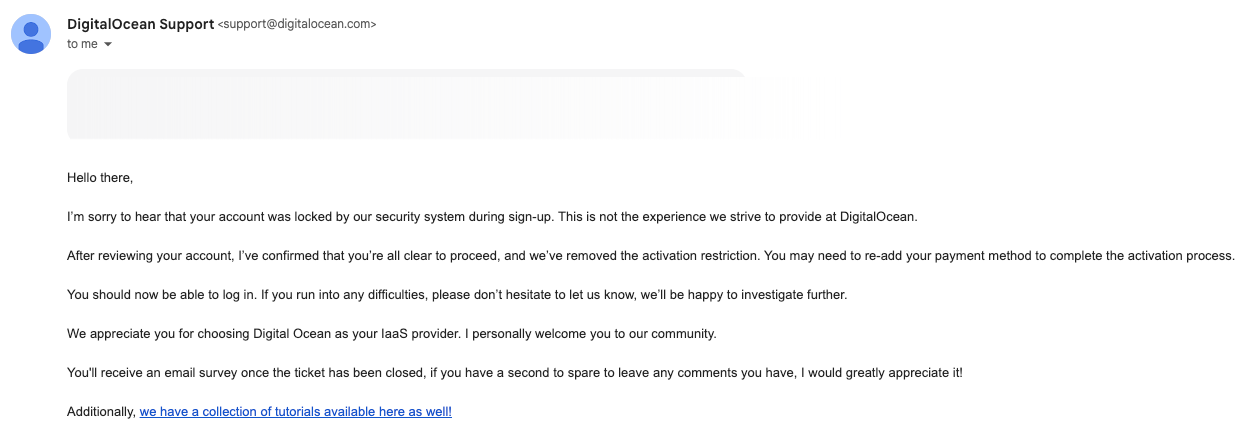
DigitalOcean has one-click OpenClaw installation, but my account was locked and it took a while before it got reactivated
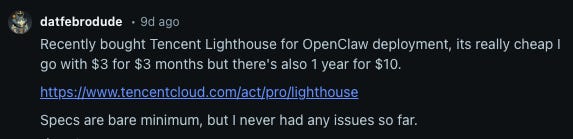
I wanted to start OpenClaw immediately, and saw a Reddit comment on how Tencent’s Lighthouse promo made a 1-year plan very affordable.
So I decided to check out their plans, and they gave one of the cheapest promotional rates (for up to 1 year).
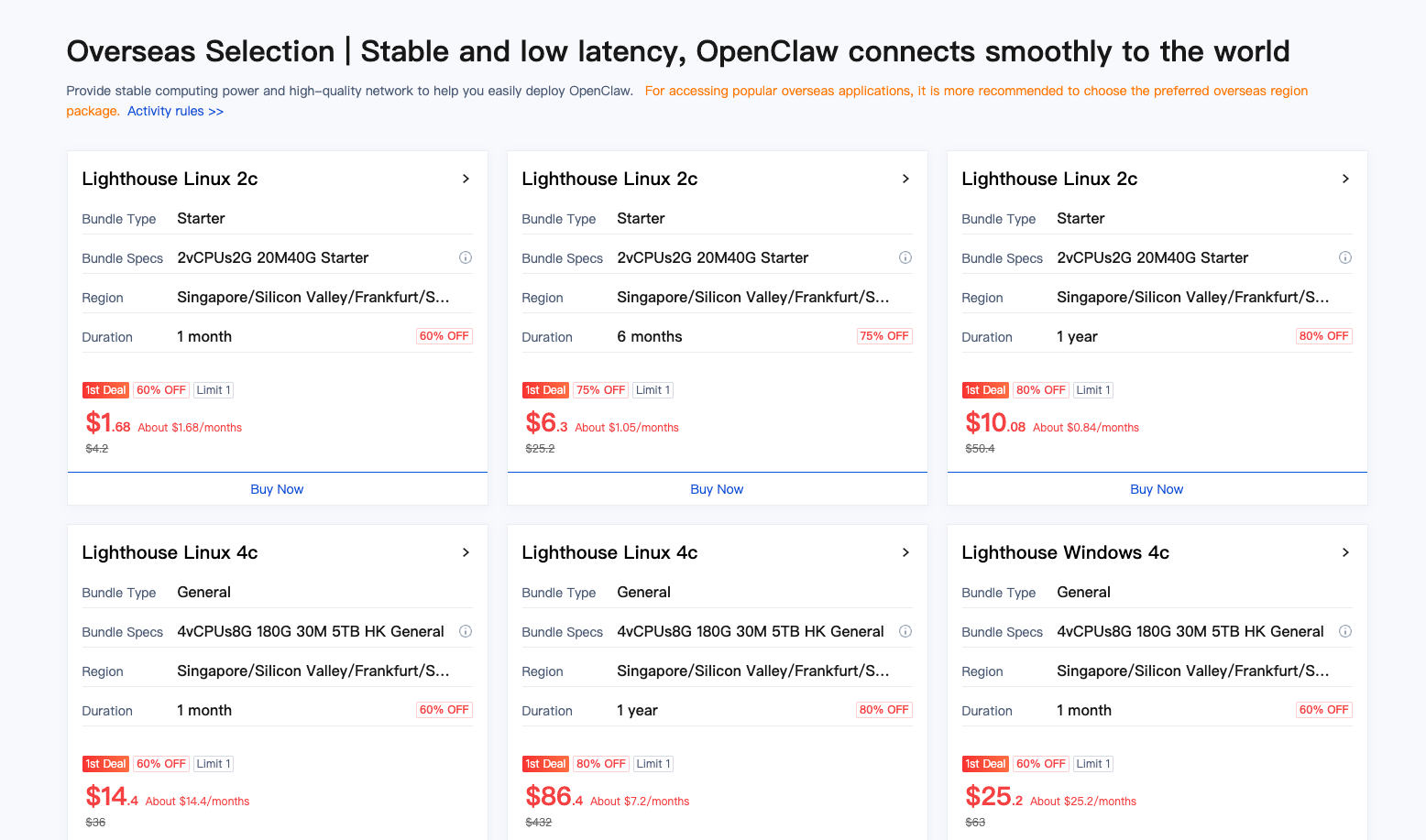
And even if their specs are not the best (2GB RAM, 40GB SSD), I found it was good enough for me to explore how to use it effectively first (since I’m a complete beginner).
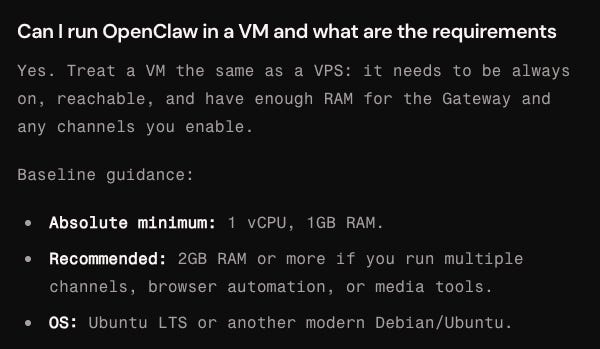
So I decided to go with Tencent Cloud and bought the $10.99 USD plan for 1 year (including taxes).
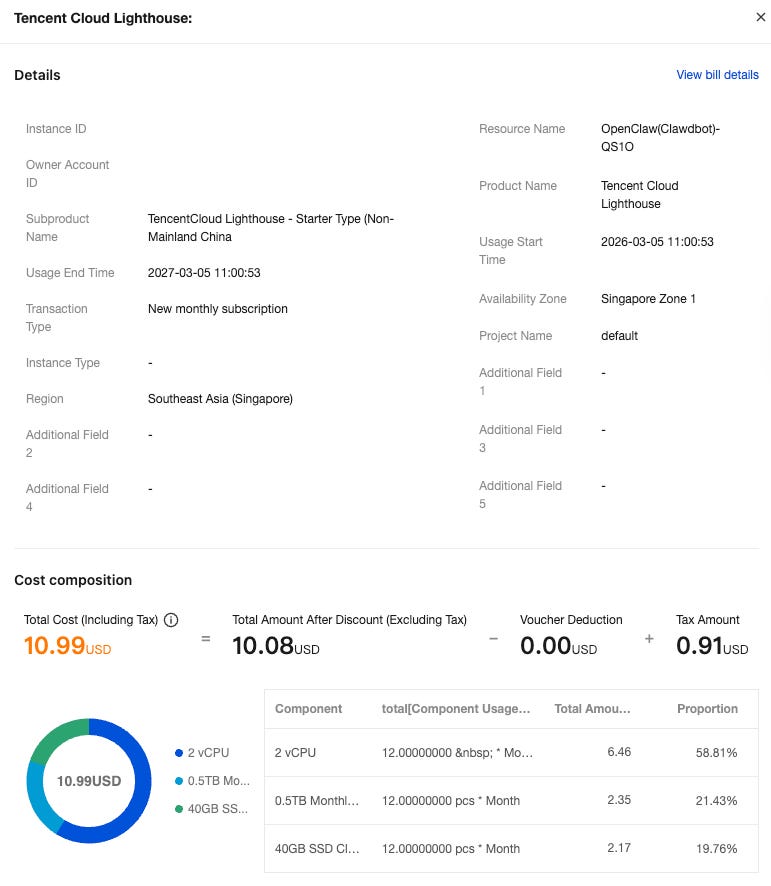
The original cost of this plan is $50.40 USD (excluding taxes).
After using it for 4 days, here are my quick thoughts on the plan:
UI is not user-friendly at all
While you get a one-click installation of OpenClaw, there are many items that you need to set up yourself too.
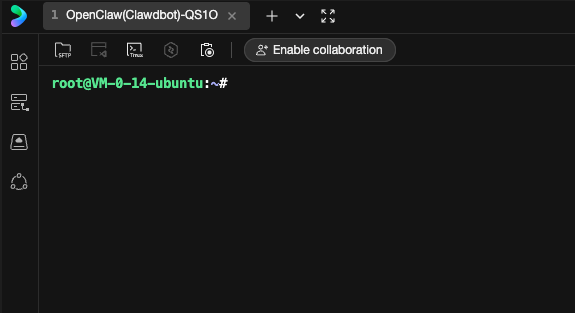
Once you launch your instance, you’ll be greeted with a command line (which was intimidating for me).
I had a tough time looking through the documentation, which skips certain steps that someone like me desperately needs.
And it doesn’t help when their formatting is not the best.
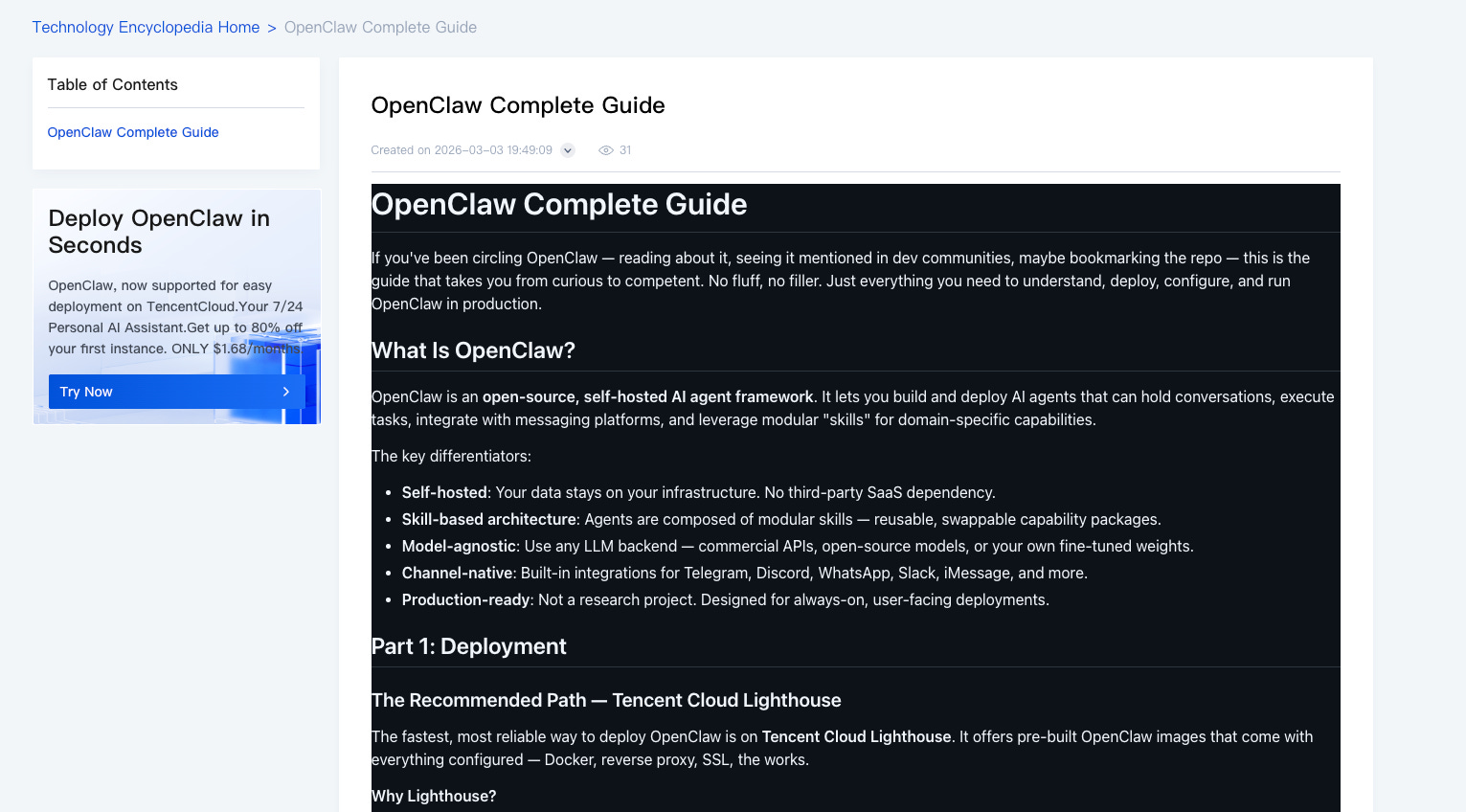
So this is my greatest gripe with Tencent, and I spent many hours troubleshooting simple problems with my LLM (and burning lots of tokens along the way).
It does take a while to get used to the command line and the interface, but I’m more familiar with it now (so feel free to ask me anything if you face any questions).
File explorer and CLI
Right now, I’ve only used Railway and Tencent as my VPS, so this could be biased.
While Railway’s UI is great, I had problems finding the command line interface to install software, or the file explorer to modify my configurations.
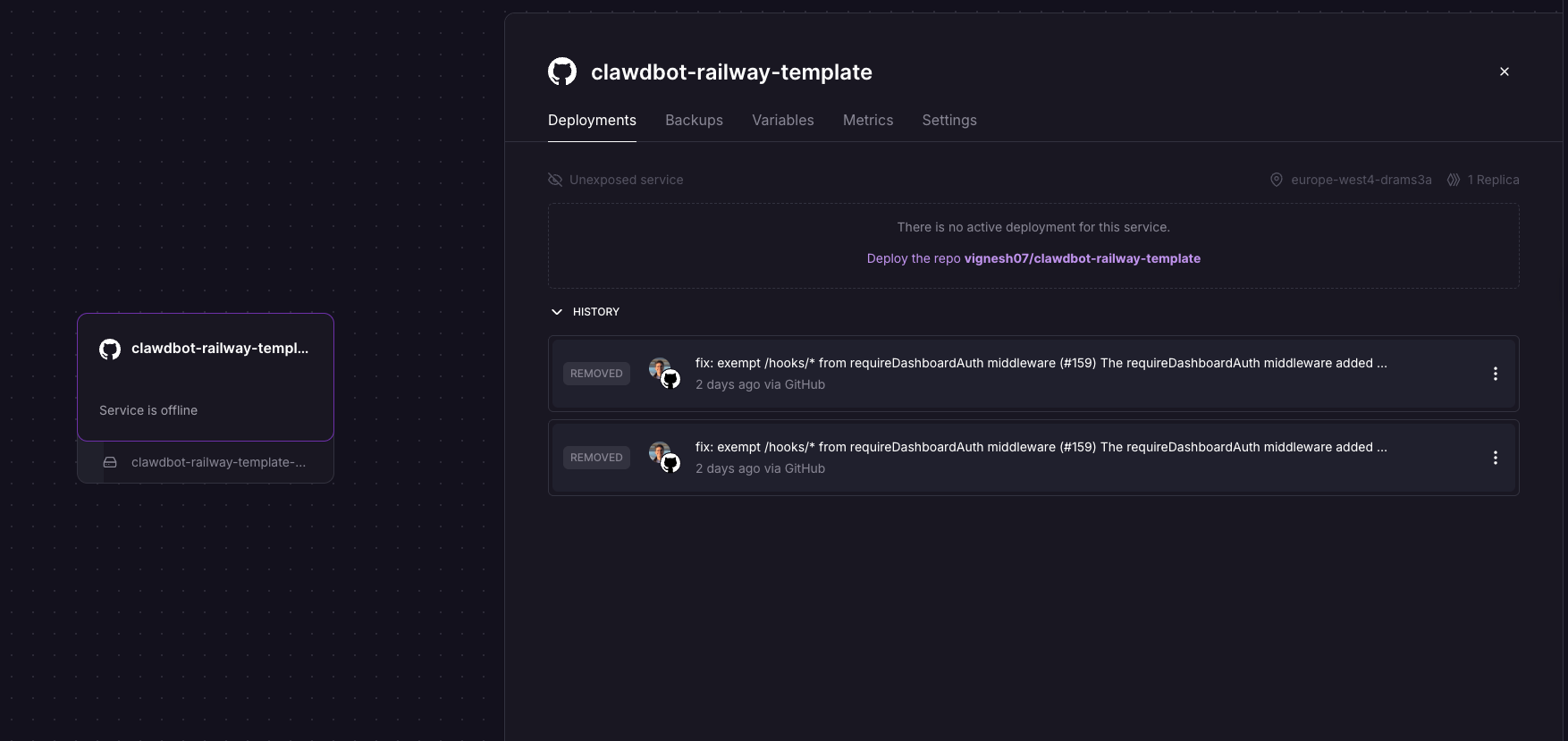
Up till now, I have no idea how to access both of them.
While for Tencent, the CLI and file explorer are right in your face, and I could easily use both (with the guidance of ChatGPT).
Though one silly mistake I made was not showing the hidden files. After restarting my server, I had a mini panic attack when I couldn’t find all of my files (that were actually still there but hidden).
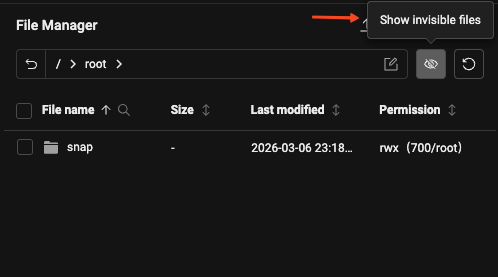
This is just my personal preference, but I find it much easier to navigate across Tencent’s UI, especially during troubleshooting when everything goes wrong.
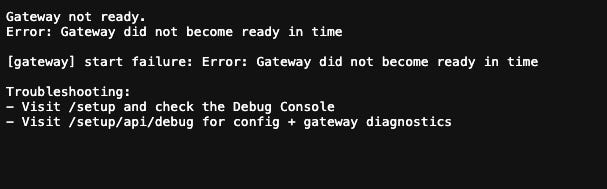
I made a mistake with my Railway config and I can’t even launch OpenClaw now, so I gave up on it completely.
Choosing a model to run OpenClaw
The easiest way I could have used was just choosing the $30 SGD/month plan for Codex / Claude Code (it could be cheaper for you depending on your country).
But the rate limits are not the best for Claude. Thanks to the @ethos_network vibeathon, I had a first-hand feel of what the Claude Pro plan was like, and it’s not the best.
https://x.com/fipcrypto/status/2016169170501829119?s=20
I kept hitting the 5-hour rate limits when I was making simple modifications to the code for my project, and I’ll likely face the same issue when building my OpenClaw agent.
Since I’m completely new and would likely burn tokens on simple tasks.
So these frontier models aren’t the best fit for me, and I decided to look at the Chinese models instead:
Kimi
GLM
MiniMax
The differences in coding capabilities don’t matter to me, I just want something that’s cost-effective so I won’t keep hitting the rate limits.Most of them claim that we’ll get 3x usage of Claude Pro for a lower fee, so I wanted to try it out.
In the end, I went with Z.ai’s GLM Coding Lite at $10 USD/month for these reasons:
I could pay for the subscription with PayPal (I have some USD balance there and MiniMax charged taxes for their API and coding plans)
I could generate an API key for my plan to use with OpenClaw
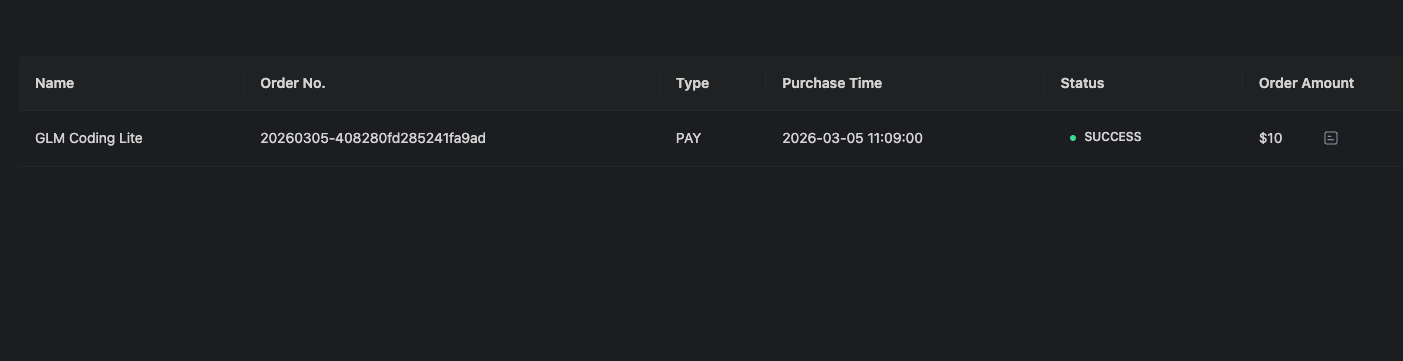
The quarterly and annual plans are cheaper, but I don’t want to be locked up with one model provider and I’m going for the monthly plan instead.
In just 4 days, I’ve burned through 69 million tokens and used up 86% of my weekly quota.
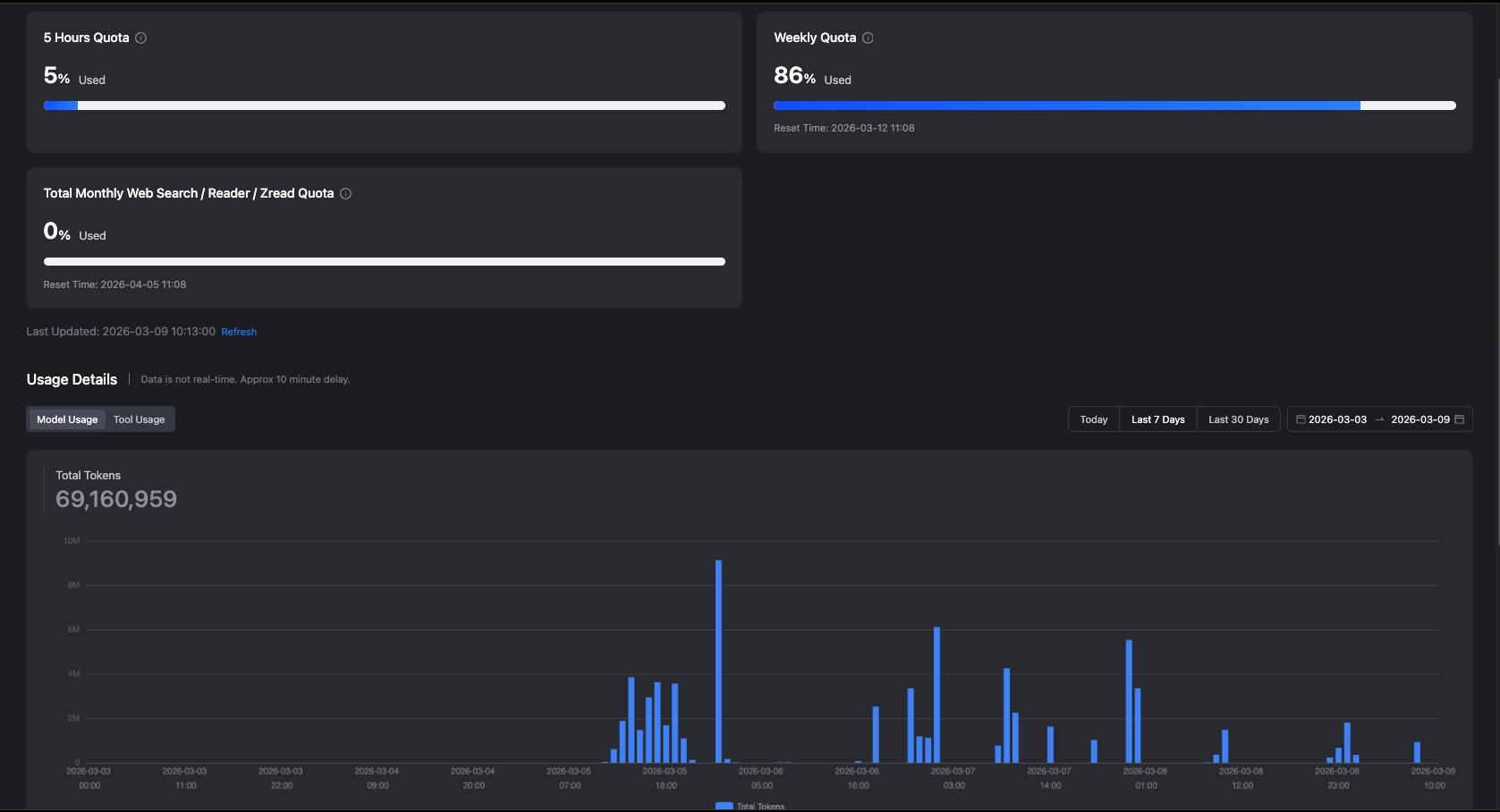
I’m sure this can be reduced after the initial setup, which likely burned a lot of unnecessary tokens based on the simple questions that I asked.
Right now, I’m still building an agentic orchestration workflow with 1 manager and 5 bots based on @jumperz’s configuration, and most of them are using GLM-4.7 Flash instead of the main model.
But I’m still monitoring to see if the token burn can be reduced:
So, what’s next?
The GLM coding plan may not be sufficient for all of my agents, so I’m still looking for the best model setup to optimise my costs.
Some that I’ve been considering:
Using @bc1beat’s Clawrouter to optimise model costs with x402 calls
https://x.com/bc1beat/status/2030322072329548219
Buying a ChatGPT Pro plan that includes Codex, so I can do the main planning and delegation of tasks with higher rate limits
At just $10.92 a month (for the first year), this Tencent Cloud-GLM setup is the most affordable that gives me a low-cost option to experiment (and fail) with OpenClaw before I decide to kill off the project completely, or upgrade to a better VPS.
Most of this could be extremely confusing to you, so feel free to DM me if you have any questions about setting up OpenClaw to work for you.
I plan to do a livestream that will walk you through the complete steps to install OpenClaw from scratch, so let me know if you’re interested in that too.
If you enjoyed this article, here are the links to sign up for the 2 software:
You don’t have to be overwhelmed by AI.
If you want to work with me to build your AI fluency and stop your fear of falling behind:
Fill out the questionnaire below and I'll reach out to you: